Posts

Reading 10- doing

Image
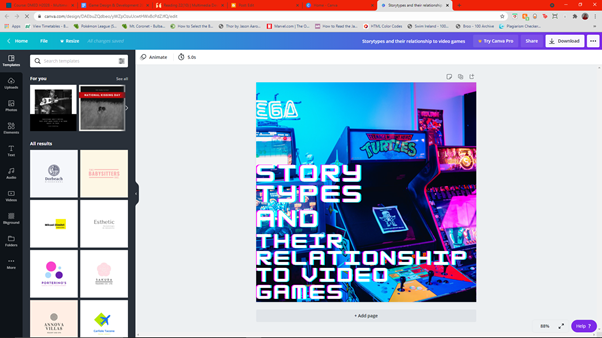
This week we worked on the reading task in the lecture slot as a class. This week we had to add a few things to our sections of the book document. The list of things we had to do where if there was any comments left to fix those, add in our test your knowledge, add in graphics of some sort, create a author bio with a photo of yourself.  I began by going through my section and looking for comments I had missed I had 1 from Shaun which was to take out the start of the my introduction which was a question. I decided to look through the rest of my work and look to see if I had any more questions that shouldn't be there. I then I went on to my author bio and created that once I was done there was the issue of my bio ending up in the header I have no idea how this happened because my computer froze and when it unfroze my bio was in the header luckily Shaun fixed this for me. I was very embarrassed. Aster this I went and added my author bio image and then went to make a image on Canva for...
Reading 09 - Doing

Image
This week for the reading task we had 3 tasks. 1) To critically read 2 of my peers work and leave detailed comments. 2) Respond to your reviews that you have received by adapting/ refining your work. 3) Finalize the Check your understanding section, consider making it interactive with H5p.org.  To start this week I began buy going to the triad  document that Shaun provided where I found my two peers that I was to give feedback to. I found this process slightly difficult as I felt both of my peers had done near perfect bare a few grammatical errors and odd sounding lines I couldn't find much wrong.  So after I received some peer feed back (mind you I had only received feedback from one person at the time of writing this blog Thursday 16:09 pm however if I receive more I will of course do re work my work.) I started editing my work. I began with five comments some about small grammatical issues and some with larger edits. The first comment was about a line in my introductio...

Reading 08 - Doing

Image
For this weeks reading task we had 3 tasks to do. 1. write an introduction for my section, 2. write a conclusion and 3. create a check your understanding. I actually found the writing sections kind of difficult I found trying to create both of these it took me I would say it took me around 2 and a half hours all together to write both of them together. The Introduction took me a few attempts over the first hour I struggled because I felt I either wasn't making sense or I was just repeating myself. I eventually got through it. I had the same issues with the conclusion but had much less revisions with it.  The second task was to create a check your understanding which I was confused about. However after a few hours I decide the best way of doing this would be a word search. All the words will be connected to the section that I have created. The words I have chosen are the 7 following:  Narrative Cut Scenes Player  Narrative Arc Passive Story Interactive  I think t...

Unity Tutorial 08 - Audio and Build, Run, Distribute

Image
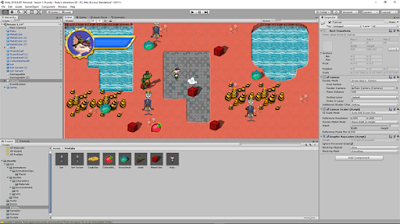
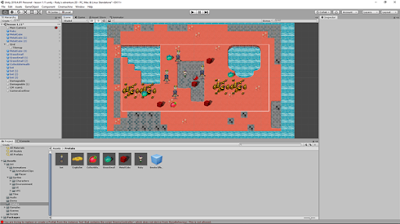
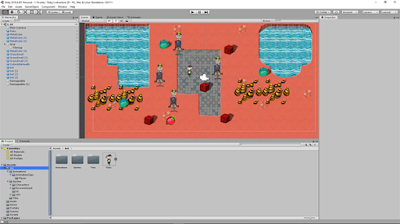
This week was the last week of Unity. To say I am happy is a bit of a understatement. I like unity but I have found them a little stressful these last few weeks.  The first tutorial was all about adding sound and sound effects to the game that I have been building for the last 8 weeks. I began by adding in background music to the game this was very straight forward so that was fun. I created a new game object named it background music and added a audio source. I then brought the audio over into it and looped it. Then I went and added a audio source to the ruby character in the script. After that I flew through the rest of this tutorial.      These are screenshots of my code from the audio tutorial.  In the second tutorial I started by changing the player settings. I found this a little hard as the tutorial gives a lot of instruction which I found a little difficulty with but I got past it after spending a few minutes on it. I went on to the building the game ste...

Reading 07 - Doing

Image
This week for the reading task we were asked to review two of our peers paragraphs from last week and in return we would receive reviews ourselves. The feedback I received from my two peers firstly was extremely helpful as I knew elements of my work needed improvements. The feedback was mainly focused on the structure of my paragraphs as the structure I had wasn't very good so through my feedback I told to split it into 5 sections being Introduction, some related information, Some meat, A form of reference and  a conclusion. I was happy with this feedback cause I knew it was where I struggled last week and having it spelt out for me gave me direction and motivation.  So I began by taking my 4 paragraphs and dissecting them up into the 5 sections I read through them firstly to pull out a introduction then if I felt it needed to be rewritten I did that then I highlighted it yellow. I then red through the rest of the information looking for related information and reworked that a...

Unity Tutorial 06

Image
This week for the unity task I had to complete the Visual styling and Dialog Raycast tutorials. After last week I was dreading unity this week but I actually enjoyed these unity tutorials. I found that I flew through these tutorials where in past weeks I have found myself  having issues from minor levels to major levels but this week I had no issues what so ever.  I had to make several masks between the two tutorials which I actually enjoyed a lot the health bar was the one that sticks out the most to me as I had a few hiccups there as I had missed a step every so often from reading over it not realizing it was an actual step so I would have to go back and fix those but I only did this maybe twice as this was my first time using a mask in unity but I had a good experience with it otherwise.  I also created a dialogue box which I wont lie I found myself scratching my head but I was enjoying trying to figure out how to get the box to appear but after try...

Reading 06 - Week 18

Image
This week I have to say I actually enjoyed the reading task which I wont lie I haven't lie I haven't be a huge fan of this semester just because it isn't my strong suit. I found myself putting it off this week because I had to go back and look for areas where my themes overlapped in more of my sources. Once I started I found myself actually flying through the work load.  I think a big reason as to why I flew through the work this week once I started was because of the lecture this week I found it really helpful and helped me in terms of seeing what exactly I was meant to do and I know that the past few weeks that wasn't exactly possible.  I found I spent a lot of my time figuring out new ways to word things as when taken out of the paragraphs they where in they didn't make as much sense or sorting through loads of information to gather trends of information that together connected between all of the papers that had those themes. I did find this to be where I struggl...

Unity Tutorial 05

Image
This week for Unity we had to complete 2 tutorials and I won't lie I had quite a lot of  errors but I completed the tutorials to the best of my abilities. The first tutorial was about the Cinemachine and this is where all my issues began or stemmed from so I began this tutorial and when I went to play to test out the what I had followed from the tutorial I realized that I had a error that I couldn't fix because it was in read me files that had come with the Cinemachine package so  after restarting an going through all the same steps and getting the same errors I decided to follow the steps in the tutorials and get the practice of them in.  The second tutorial was much easier but since I couldn't see the results thanks to the errors it did add issues however I feel if I didn't have these issues I wouldn't be learning to keep an eye out for issues like this in the future. I also feel that even though I couldn't figure out the issues they had me actively engaging w...

Reading 05 - Week 17 - Doing

Image
For this weeks task we were asked to find 5 themes in our annotated bibliographies that we created last week.  I went through them and found a total of 6 themes from my annotated bibliographies.  I found this weeks reading task to actually be very enjoyable. I found going through my annotated bibliographies and finding themes was relaxing and enjoyable. I had noticed themes when gathering my research but once going through them with a more critical eye I found more that I had not noticed before.  I was worried at first that I wouldn't be able to complete this weeks tasks because I knew a few of my sources overlapped slightly in the content they where covering. However I found there was a lot les major cross over than I thought there was which allowed me to find 6 themes throughout my sources. I won't lie I was surprised to find so many with relative ease.  To know how to do all this I watched the video on coding a document and creating themes on the Multimedia Develo...

Unity Tutorial 04 - Sprite animations and Projectiles

Image
This week for the unity task we had two tutorials to do which where 9 and 10 in the set of tutorials we have to complete this semester. I found these tutorials this week actually a lot easier than some of the previous ones in the last few weeks, not to say I didn't have difficulty with these I definitely did have some difficulty.  The first tutorials was all about making the characters move by using animations. I found most of this tutorial easy as last semester I had learned this in the 3d game however one thing I couldn't get to work was to get the robots to change animations however Ruby did. Even after multiple attempts and spending way to long on it I chose to move on with the tutorial as I was following the tutorial word for word so I left it.  In the second tutorial I had to create projectiles which honestly I found very easy and had next to no issues. I mean there where a few things where I had slip ups but they where minor instances where I input the code either in th...

Analysis

Image
Link to This weeks annotated bibliography's This week I found creating my annotated bibliographies to be a bit easier than last week as I now had experience and knew what I had had to improve on. I started this weeks task by gathering new sources as I  had found a lot of the ones I had gathered either went off topic or didn't actually connect to my topic at all like how I thought they did. I then spent well over 3 hours reading over my new sources and taking notes for writing my annotations I will admit I found this difficult as I took me a few readings before I could get full answers to the questions I was finding myself asking after my first read through.  Caption: This is an example of a more narrative focused game Until Dawn.  Source:  https://www.chatmapper.com/video-games-perfect-storytelling-medium/

Unity Tutorial 03

Image
 Hello his week I completed the unity tutorials 7 and 8 in the Ruby's Adventure series. I am really enjoying this set of tutorials as the are a challenge but are so challenging that I end up stressed. I will admit that this week I had some issues with tutorial 7 mainly at step 10 no matter what I did I kept getting error after error so what I did was to take a break and sleep issue. I hoped that taking a step back from the issue would let me figure it out when I got back to it. When I did get back to it I couldn't figure out so I just carried on and by the end of tutorial 7 I had everything working so I believe I was just missing a small bit of code.  Tutorial 8 was a lot easier as it was less reliant on code and focused more on bringing in the enemy to ruby I actually found the code we had to add in very easy to understand and had no issues with it. I think  I found this so much easier because I had run into the issue in the last tutorial so I was more focused on making ...

Reading task week 15 - Doing

Image
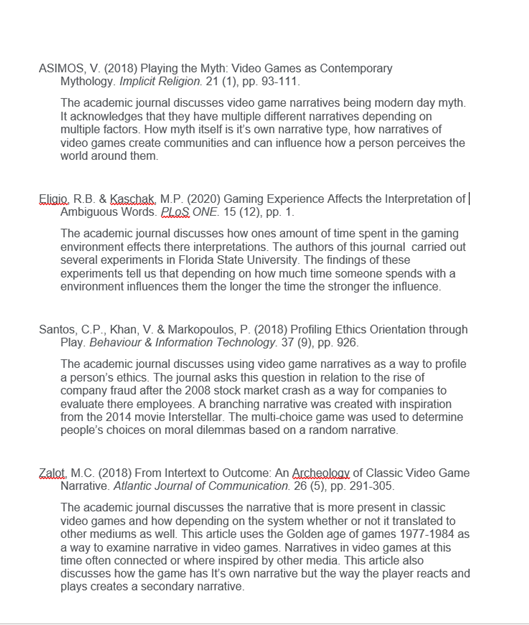
This week for my reading task I began making  annotated bibliography for four of my source that I have gathered. I won't lie it took me quite a while to find substantial sources that related to my topic as some of my key words from last week just were not giving great results so I began to get very frustrated but once I got on to a bit of a roll with the results I was getting. I used the TUD Blanchardstown library to find my sources this week I found this a very useful tool when looking for my resources. I did have some difficulty at first but those issues where just minor teething issues.  I began critically reading four of my sources to create four annotated bibliography. I did have difficulty with this as I have dyslexia so I experienced quite a lot of moments of reading fatigue. I decided the approach that would best suit me was to read each one take notes and write down questions to areas I wasn't sure on.  Then take a 15 minute break and come back read them again tr...

Unity Tutorial 02

Image
I have just completed this weeks Unity tutorials which consisted of Ruby's Adventure tutorials 5 and 6. I will be honest I found these tutorials a little difficult to get into I kept having to take 5 minute breaks to give my brain  a chance to understand what I was reading I am not sure if it was just from the overall amount of writing or if it was just me not being able to concentrate but once I got into the groove I was flying. The first tutorial was mainly about decorating the world and using Prefabs which I have done before so I found easy to follow this once I got past the start portion of it. Something that I came to realize that I find keeps me back with these tutorials compared to the 3D ones is the fact there is a mix between normal images and what I can only describe as gif's. It really causes me some confusion at points. The second tutorial was all about world interactions specifically colliders. I found this tutorial really handy however I did have some difficulty a...

Planning

Image
This week we had a look at how to search databases with Lindsay from the TU Dublin Blancharstown Campus library. This I feel was a great session for me as this was something I was worried about going into this semester, however now I feel like I will have little difficulty gaining resources for my my topic. For this week we have been asked to firstly create a strategy  for gathering research and to also become organized for next week.  The topic that I have picked to research and write about is Story types in games or as I will refer to it going forward in my blogs Story types. I feel as though this topic has a vast mount of information on it that is easily accessible especially after the session his week.  To start me off in my research and preparing for next week I created a mind map with 20 keywords that I will use to search up credible sources.  Image of my mindmap I created on Canva.  I also went and made 4 folders on my Desktop to organize my research whic...

Unity tutorial 1(14) - Ruby's Adventure tutorials 1-4

Image
 I have completed this weeks unity tutorials which were Ruby's adventure tutorials 1-4. The first tutorial was setting up the Unity workspace. I found this tutorials very easy as last semester we used went through a similar tutorial for the 3d work the only main differences where  using a one screen setup instead of two as the game is in a 2D environment and therefore doesn't need a view of what the player will see as it is the same view more or less.  The second and third tutorials was all about the main character and the setting up of the script to get the main character to move like the first tutorial I found this quite easy as I had learned this previously with a 3D environment therefore I was just dropping the Z axis from the equation so to speak. I had a minor issue with getting the character to move on the Y axis however after re reading the instructions a second time I realized my error. The finale tutorial is where I had some issues as firstly I had never done an...

Beta

Image
So this week I spent well over 3 hours on my game but maybe spent about 3 hours actually getting things to work I spread my time on the game this week over several days because of other classes but I don't actually think it really helped my stress levels because my other assignments are still stressful.  Anyway back to the game I started this week off by trying to accomplish 4 main things this week those being:  Need to make a puzzle  Make it so that when the puzzle is completed the door opens.  Camera follows the player in a first person view.  And stop the player being able to walk through anything that's not a door.  I found out how to make a puzzle from a YouTube tutorial I will link Here . It thought me how to split up a image into different sections of the image like a jigsaw. I tried to follow along and make  the code work however it was not compatible and I couldn't find anymore that seemed to help with this. If I cant find one before I make a ...

Unity tutorial 10

Image
I began this week's unity tutorial by actually repeating the tutorial I did last week which I have the blog post linked here.  So I had to actually remove the door assets that I had in place as they already had the animation and therefore I couldn't manipulate it at all so I made my own doors which is just a slab if I had more time I would definitely make it look better but since the semester is nearly over I don't really have the time to do that. I then realized I had to have areas for the actual puzzle to go so I made a puzzle stands to place my puzzles in that will open the door.  So once I had that done on all 8 doors I went to find Unity tutorial and to say I found one is not exactly true. I found several and to save you the pain of reading on if you don't want none of them worked for me I spent several hours longer than I wanted to trying to get anything it work. I decided to put all the ones I tried into an Unlisted Playlist on my YouTube account at this Link  . ...

Unity tutorial 09

Image
 So for this week I decided to use this as a chance to work on some elements of my game so I followed a tutorial on how to get my doors to swing open.  The tutorial I choose to follow was one on YouTube. It's called  Unity Hinge Joints   it was posted by Michael Dixon. I decided to follow a long with it as best as I could and as I did I had many issues.  Starting off the video was very easy to follow everything is done in  unity no code needed great. I then realized that my character could just walk straight through so I had to fix that and so I added box colliders but they weren't working right so I took to the internet to try and figure out where I found a video  Unity Open World #13 - Character Rigidbody  which I followed along to get my character to stop going through walls. So I went back to the first video and followed the steps but nothing was working.  I then realized there was already animations for this asset which allow the door to...

Twitter task 10

Image
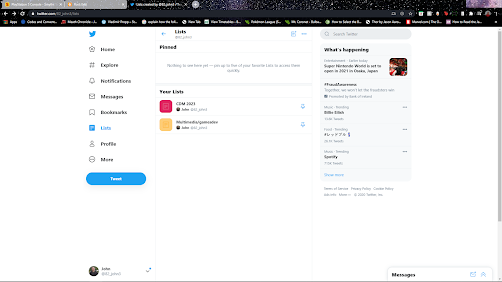
So for my twitter task this week I choose task 10. This task meant I would have to create two lists.  One for my classmates and the other for game developments and multimedia.  So for the first one I just followed the steps on how to make a list but I have to say at first I was so confused as I was using the website version of twitter and I'm more used to the app version so even though they are very similar it was a little confusing. So after I figured it out I just started adding people I follow in the class  to my CDM list .  For the second List I went about finding some game development accounts by searching #gamedevelopment and similar hashtags and added accounts from that.  Game dev/ multimedia   I have never used Lists before and I have been using Twitter for years but I think going forward I will be using them.  Caption: Screen shot of my lists